
AccessLens
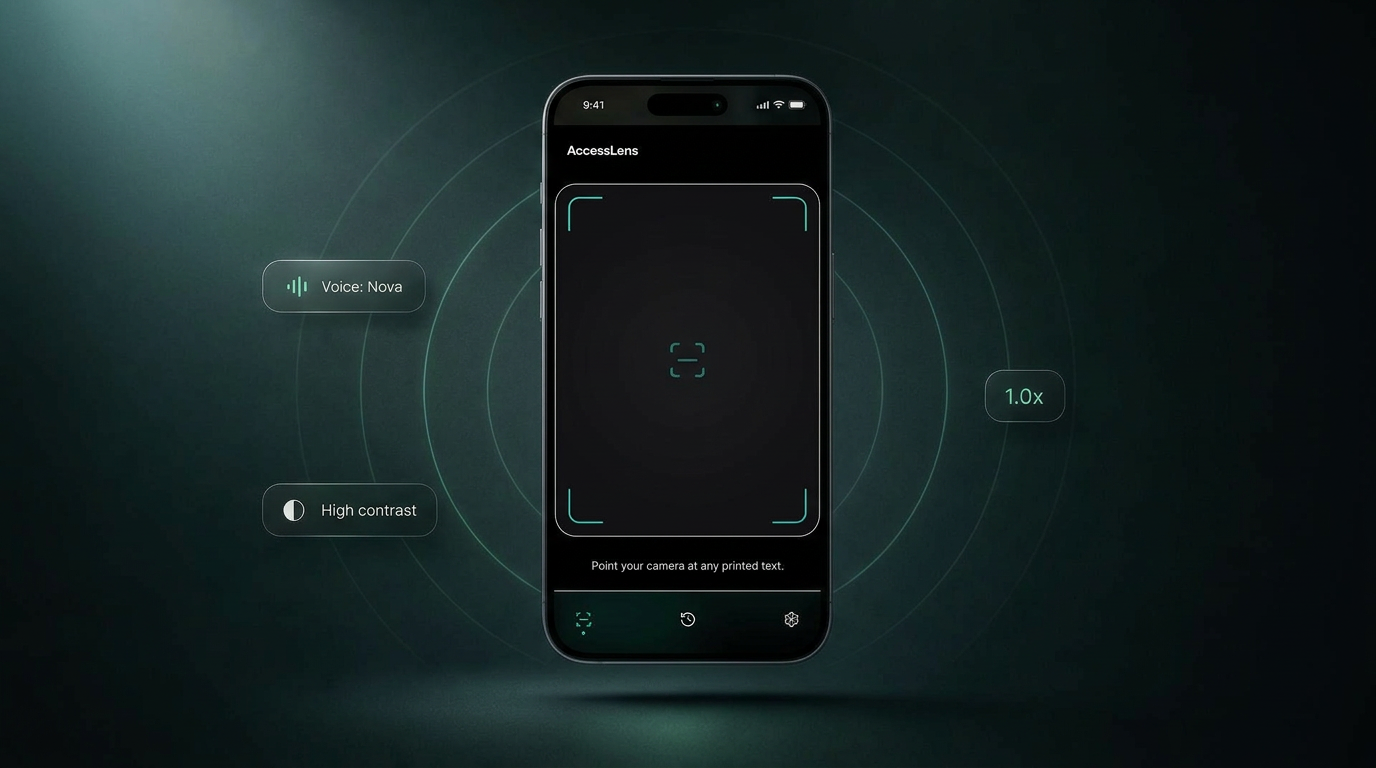
A mobile experience that lets anyone point their camera at real-world text - a label, a sign, a menu, a leaflet - and instantly receive a clear, spoken, context-aware explanation powered by AI. Built end-to-end as a working product, not a mockup.
- Role
- Product Designer · UX Designer · AI-Assisted Builder
- Timeline
- Concept Project
- Team
- Solo
- Category
- AI-Powered Accessibility Assistant
- What it is
- AI-powered accessibility assistant for understanding real-world text.
- Who it's for
- People with low vision, dyslexia, color blindness, language barriers, and anyone needing faster understanding.
- Core interaction
- Point → Capture → Understand → Ask
- Built with
- Product design + AI-assisted development + working prototype.
The problem this product set out to solve.
What people faced
Everyday environments are full of text most products quietly assume you can read - small print on packaging, faded signage, dense menus, multi-language instructions. For users with low vision, dyslexia, cognitive load in unfamiliar situations, or anyone navigating a second language, that assumption breaks the moment they leave a screen.
The landscape
Phones already ship with magnifiers, screen readers, and live translation, but each tool is siloed. Users have to know which feature to invoke, and the output is usually a literal transcription rather than an answer to what they actually wanted to know.
Why it matters
Accessibility tooling has historically optimised for compliance. The opportunity now is to optimise for understanding - using AI to move from 'reading text aloud' to 'explaining what this is, in your words, in your moment'.
The principles that guided every decision.
Accessibility First
Inclusion is the product, not the polish. Voice, contrast, pace and colour vision are first-class surfaces - not toggles buried in settings.
Voice Before Screen
People want answers, not text. The product speaks a short AI-summarised answer first; the transcript lives below, on demand.
Honest Uncertainty
When the model isn't sure, it says so out loud. 'I'm not sure' is a designed response, not a fallback.
Calm by Default
Quiet surfaces, generous touch targets, a single accent for interactive moments. The camera feed and voice are the experience.
The calls that shaped the product.
Four product calls did more to shape AccessLens than any visual decision. Each one started from a real-world failure mode in existing accessibility tools, and each one cost something in return.
Accessibility presets over a settings panel
Every existing tool I audited handed users with access needs a long list of toggles and expected them to assemble their own experience before the product became useful.
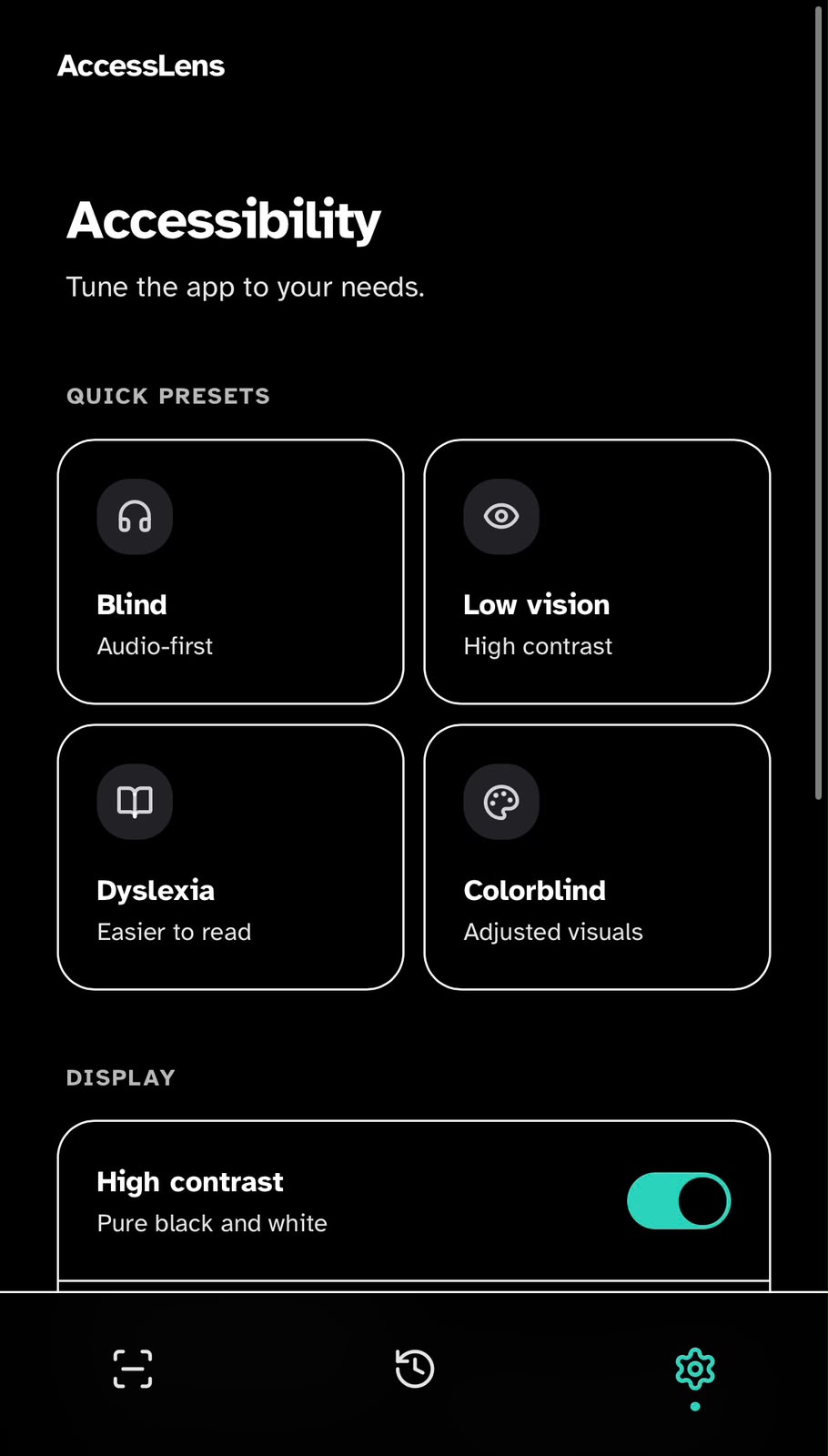
Lead with intent-based presets - Blind, Low vision, Dyslexia, Colorblind - that configure voice, contrast, motion and verbosity in a single tap. Individual controls stay available underneath.
Onboarding cost falls hardest on the people the product is meant to help. The product should make the first move toward the user, not the other way around.
Voice-first interaction, screen as fallback
Camera assistants typically dump literal OCR into a wall of text. For audio-first users, that's noise; for everyone else, it buries the actual answer.
Treat voice as the primary surface. The product speaks a short, AI-summarised answer first; the full transcript and bounding boxes live below, on demand.
People don't want text - they want answers. Designing for the ear forces brevity and hierarchy that improves the screen experience too.
Reading speed as a first-class control
Default speech synthesis is paced for sighted users glancing at captions. Power screen-reader users want 1.5–2x; new users often need 0.75x to follow at all.
Pair a continuous slider with discrete presets (0.75x–2x), keep the current rate visible, and let speed adjust live during playback rather than only on the next capture.
Pace is personal and changes with context - a medication label and a restaurant menu deserve different cadences from the same product.
Color vision as a mode, not a filter
Generic 'dark mode' or 'high contrast' settings don't fix how specific colour pairs collapse together for specific conditions, and they ask users to self-diagnose in product language.
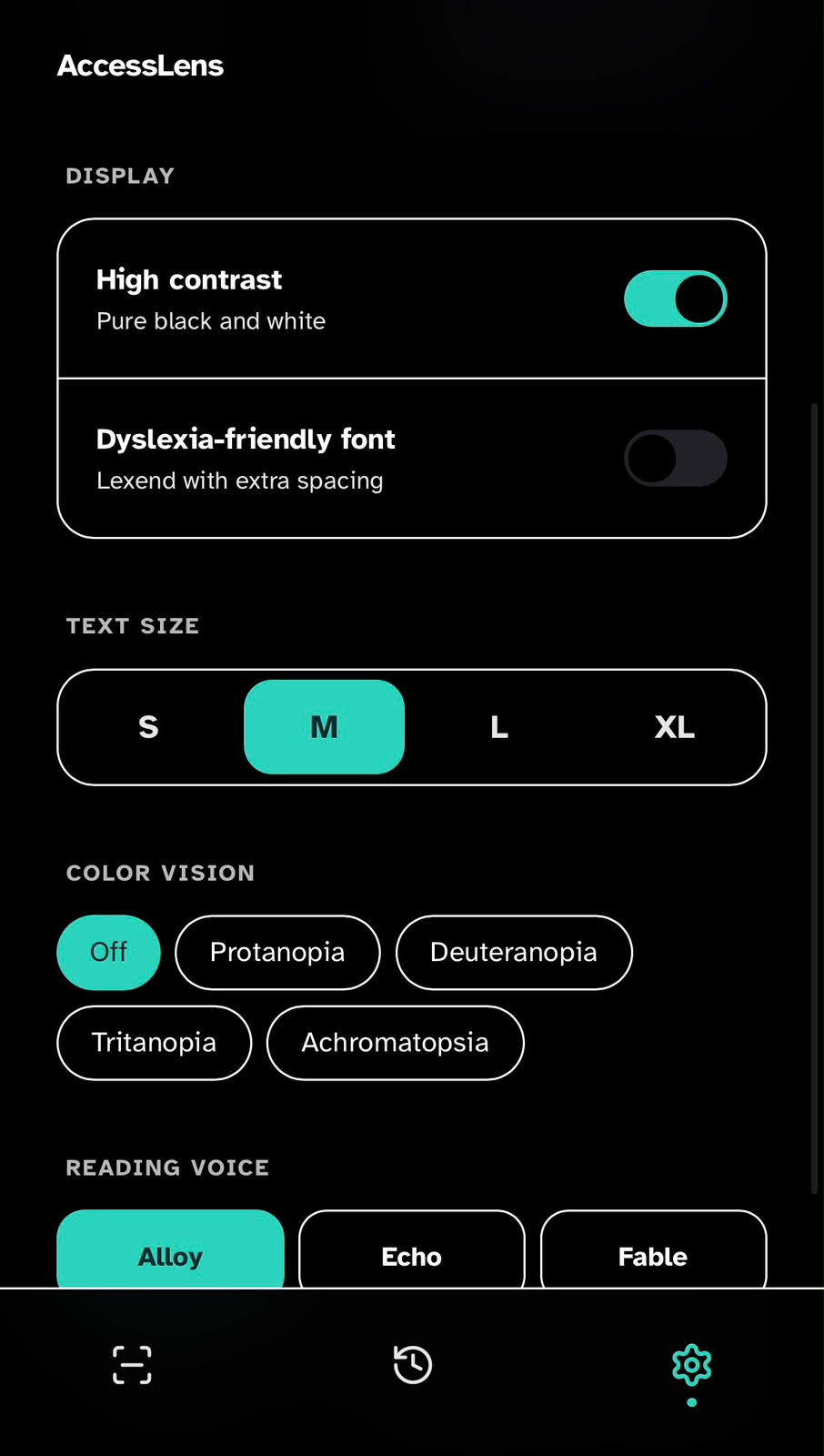
Expose color vision as a named, first-class mode - Protanopia, Deuteranopia, Tritanopia, Achromatopsia - that remaps the accent system and ensures every state is also carried by shape, label or position.
Naming the condition removes the translation step and forces the design system itself to stay honest: if a state stops reading without colour, it was under-designed to begin with.
The primary screens and the thinking behind them.
End to end, AccessLens collapses into five moments. Each one is designed to hand control back to the user as quickly as possible.
Accessibility Setup
The first time the app opens, the user picks a preset - Blind, Low vision, Dyslexia or Colorblind - and the product configures voice, contrast, motion and verbosity in one tap. Nothing further is required before the camera is usable.
Camera Capture
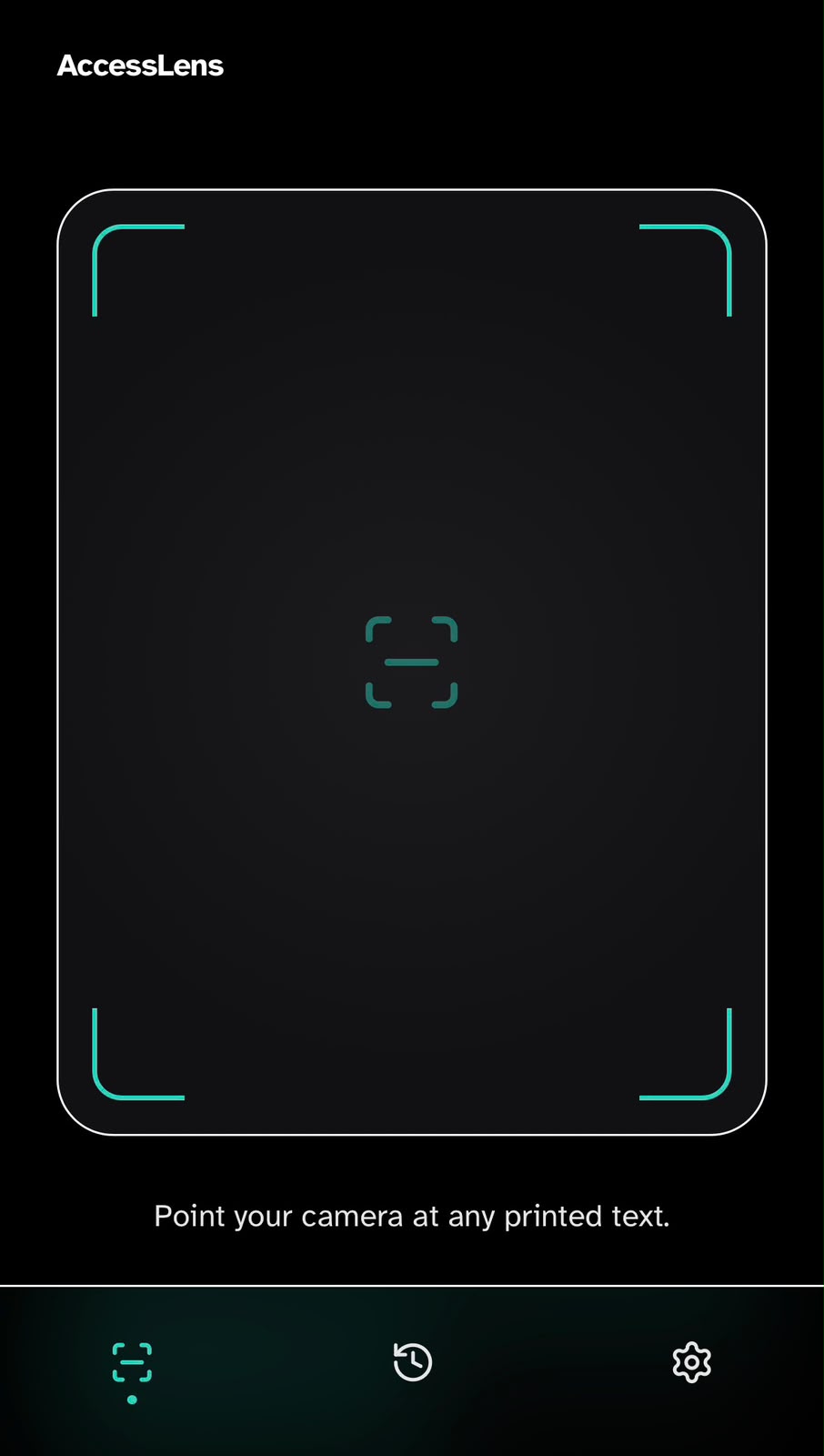
The home surface is the viewfinder. A single, generously-sized frame with high-contrast corner markers tells the user exactly where to point; a single tap - or a long-press for continuous narration - triggers capture with haptic confirmation.
AI Understanding
Within a beat of capture, the model interprets the scene - not just the characters. Instead of dumping raw OCR, it identifies what the text actually is (a medication label, a menu, a sign) and prepares a context-aware answer.
Voice Feedback
The product speaks a short, natural summary first, in the user's chosen voice and at their chosen pace. Confidence cues - 'I can mostly read this, but the dosage line is unclear' - are spoken aloud rather than hidden in chrome.
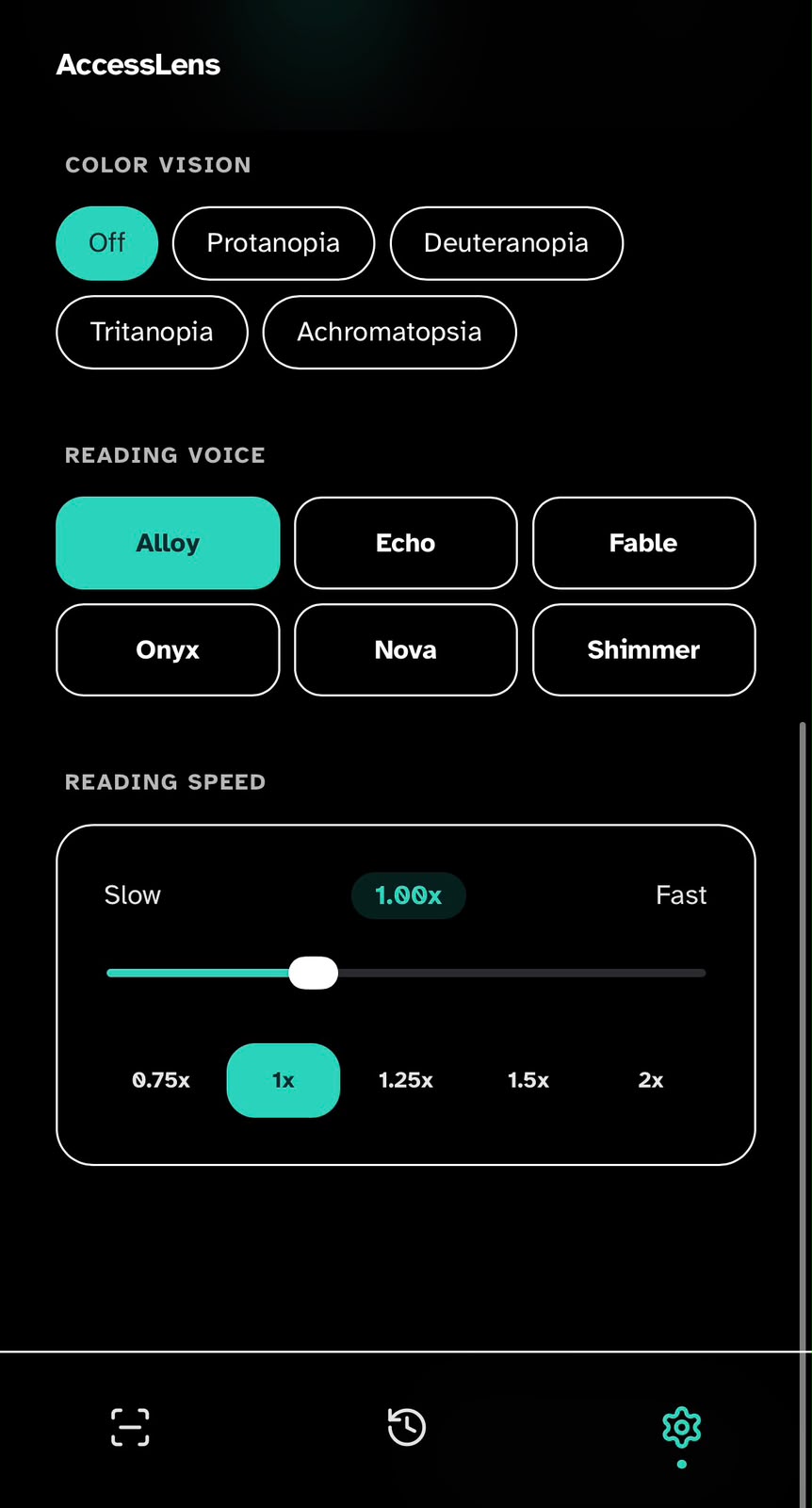
Personalized Reading Experience
From the same screen, the user can replay, ask a follow-up ('what does this mean?', 'translate to Hindi'), or tune voice, speed and contrast live. Preferences persist across captures so the product gets quieter and faster the more it's used.
The vocabulary behind every screen.
The visual system is intentionally quiet so the camera feed and voice are the experience. High-contrast surfaces, generous touch targets, and a single accent colour for interactive moments.
Palette & semantics
Scale & voice
Reusable building blocks
Capture Button
Large, always-thumb-reachable. Long-press to switch to continuous narration.
Summary Card
Top-anchored, voiced automatically, expandable into full transcript and source bounding boxes.
Ask Bar
Unified text + voice input for follow-up questions. Stays anchored across screens.
Confidence Pill
Small inline indicator that communicates how sure the model is, in plain language.
Designed to include
- Designed first for screen-reader-only use; sighted use is the secondary path.
- All actionable elements ≥ 44pt with 4.5:1 minimum contrast.
- Speech rate, voice, and verbosity adjustable from a single screen.
- Haptics confirm every capture so users never depend on visual feedback.
- Dynamic Type and reduced motion respected end-to-end.
- All AI-generated content announced as AI-generated, with a path to the raw text.
AI-assisted development, prototyping, and validation.
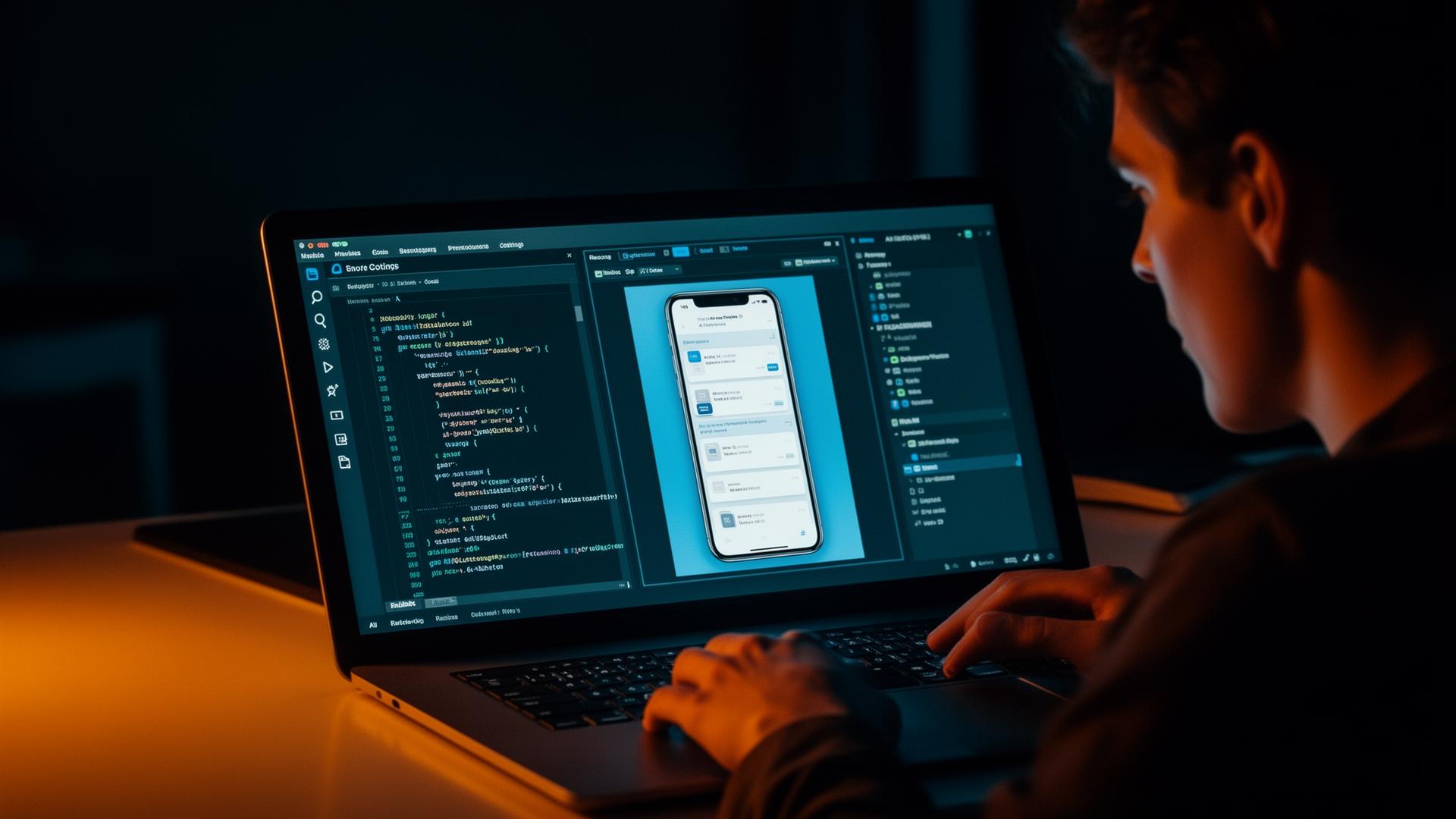
I'm a designer, not a software engineer. AccessLens is the first project where I closed that loop end-to-end - taking the concept from sketches into a working prototype using AI-assisted development tools, so I could feel the product instead of only presenting it.
What it actually took
Rapid prototyping
I used AI-assisted tooling to scaffold screens directly from design intent, then iterated against the live prototype instead of static frames. Decisions that used to take a spec doc now took a build cycle.
AI-assisted development
Rather than write production code, I directed AI as a pair - describing behaviour, reviewing output, and refactoring with intent. My job stayed design; the implementation became a conversation.
Product validation
Holding the prototype in my hand surfaced problems no Figma file would - voice pacing felt slow, the capture button drifted under my thumb, the summary card crowded the camera. Each one was fixed in build, not deck.
Learning through building
Every loop taught me something about latency, state, permissions, and the shape of real software - context that now flows back into stronger, more buildable design decisions.
Closing the gap
The point isn't to become an engineer. It's to remove translation loss between intent and implementation, and to design products I can actually test against reality.
“The fastest way to know if an idea is real is to use it. AI made that possible without abandoning the craft of being a designer.”
What this work achieved.
As a concept project, success is measured in clarity of thinking and the strength of the prototype - not in shipped metrics. The intended outcome is a clearer, more humane pattern for how AI can sit between people and the physical world.
What I took away
- Accessibility framing sharpens product decisions for everyone, not just edge cases.
- Voice UX requires the same discipline as visual UX - pacing, hierarchy, restraint.
- AI features are only as good as how they behave when they're wrong.
- Saying 'I'm not sure' is a design decision, not a fallback.
What worked and what I'd improve.
- - Leading with intent-based presets removed onboarding cost from the people the product is meant to help.
- - Designing for the ear first forced a brevity and hierarchy that improved the screen too.
- - Treating colour vision as a named mode kept the design system honest - every state also reads in shape and label.
- - Push the confidence model further so the product degrades gracefully in low light and partial captures.
- - Add a richer follow-up history without compromising privacy.
- - Test with real low-vision users instead of designing against research alone.
Where this could go next.
- Real-world testing with low-vision users and accessibility communities.
- Wearable form factors - glasses and earbuds - where the camera surface disappears.
- Domain-specific modes for medication, finance, and travel.
- Tighter on-device fallback when connectivity drops.
- Richer history and saved-item patterns without compromising privacy.
- Personalisation - voice, verbosity, and vocabulary - that learns over time.
AccessLens starts as a single mobile surface, but the long arc is an ambient assistant for the physical world - quietly available across devices, sharper at saying 'I don't know', and earning trust by being useful in the moments that matter most.